The problem
After having a baby, things accumulated faster than I expected: gadgets we tried and quickly outgrew, a mountain of clothes worn only a handful of times, gifts we appreciated but still had so much life in them. I kept telling myself I would either sell or gift it all. The problem was never the stuff itself. It was everything that had to happen after taking a single photo: writing a description for each item, duplicating it across three different platforms, monitoring separate inboxes, negotiating prices, and figuring out shipping on top of all of it. By the time I finished step one, the nap was over and the moment was gone. Nothing ever actually got listed.
What I built
I needed something built around the time I actually have, which is about five minutes, on my phone, while doing three other things. The admin side lets me upload a photo, write a short description, set a price or mark it as free, and move on without any of the overhead that made listing things feel impossible before. No listing fees, no shipping logistics, no strangers sliding into separate inboxes across three platforms. On the buyer side, there is a clean, scrollable page I share with neighbors, friends, and family. People can reserve items directly, and when they do, I get a notification and see everything in one place. If something is listed at a price, buyers can also put in an offer, which turned out to be one of my favorite touches. A little bit of back and forth, but all contained. Because everything is fully responsive, I can open the admin side from my phone, snap a photo on the spot, and have something listed before the moment passes.
Buyer experience
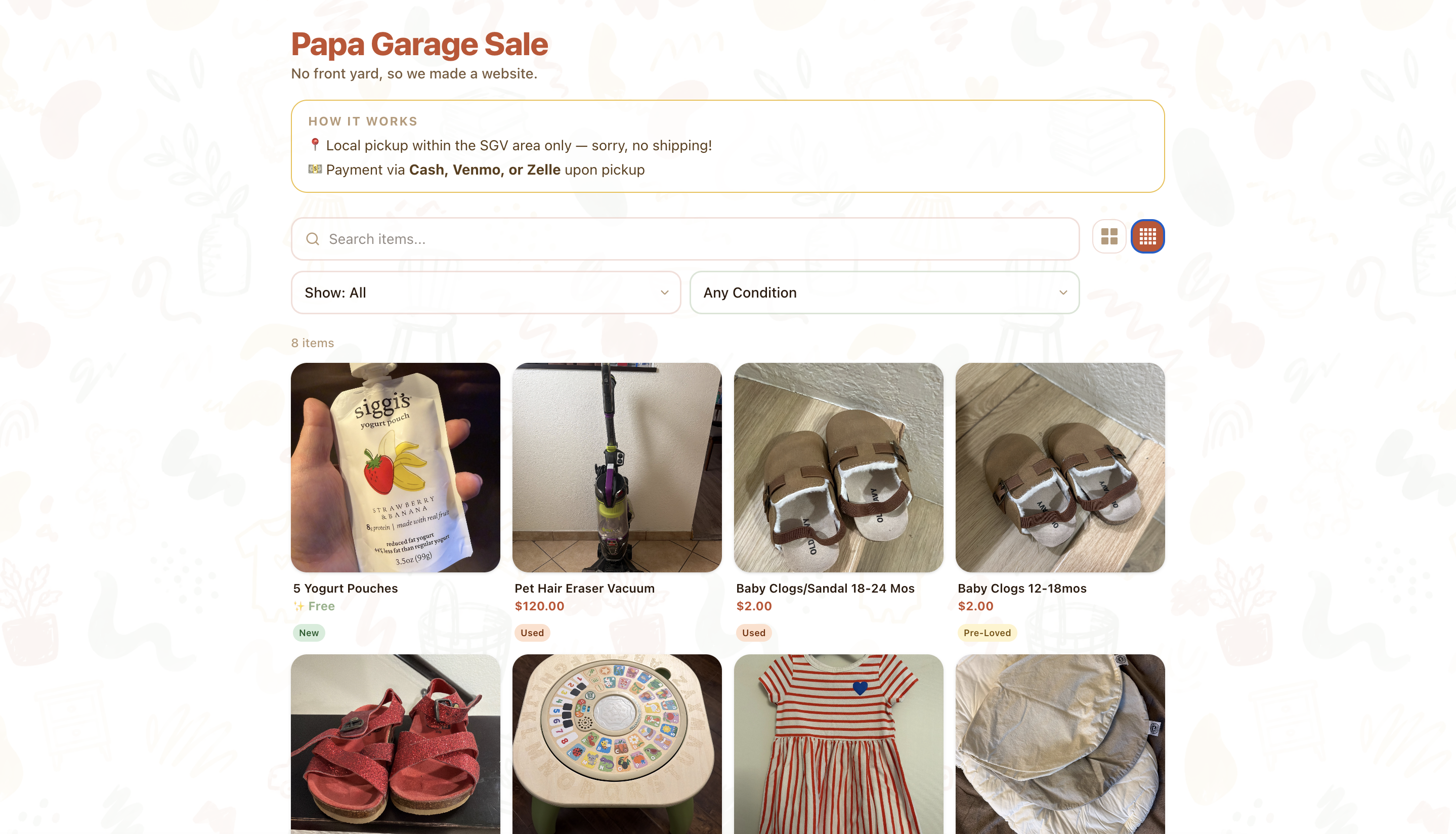
Browse and filter items by category or condition
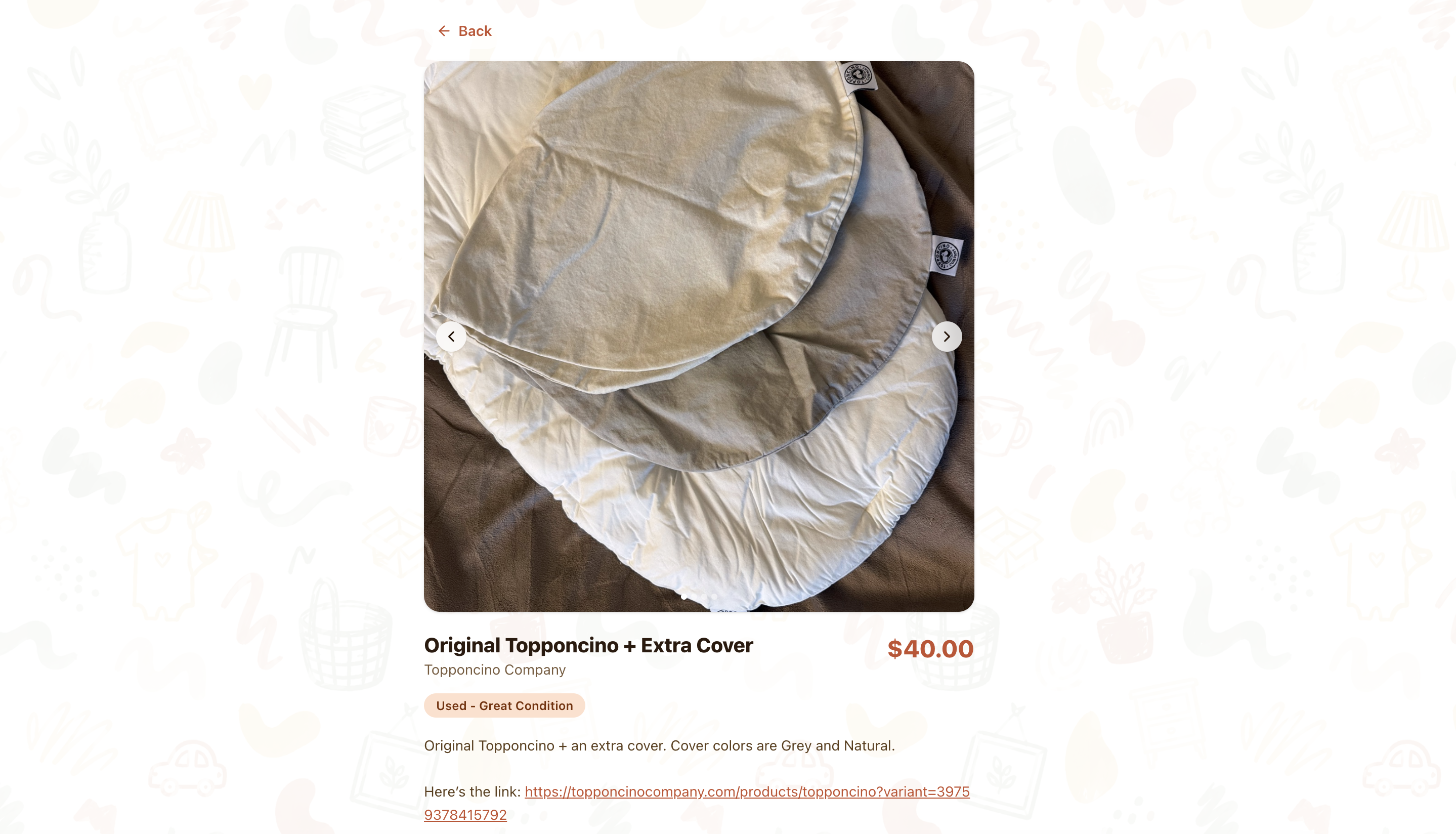
Item detail with photo carousel and reserve button
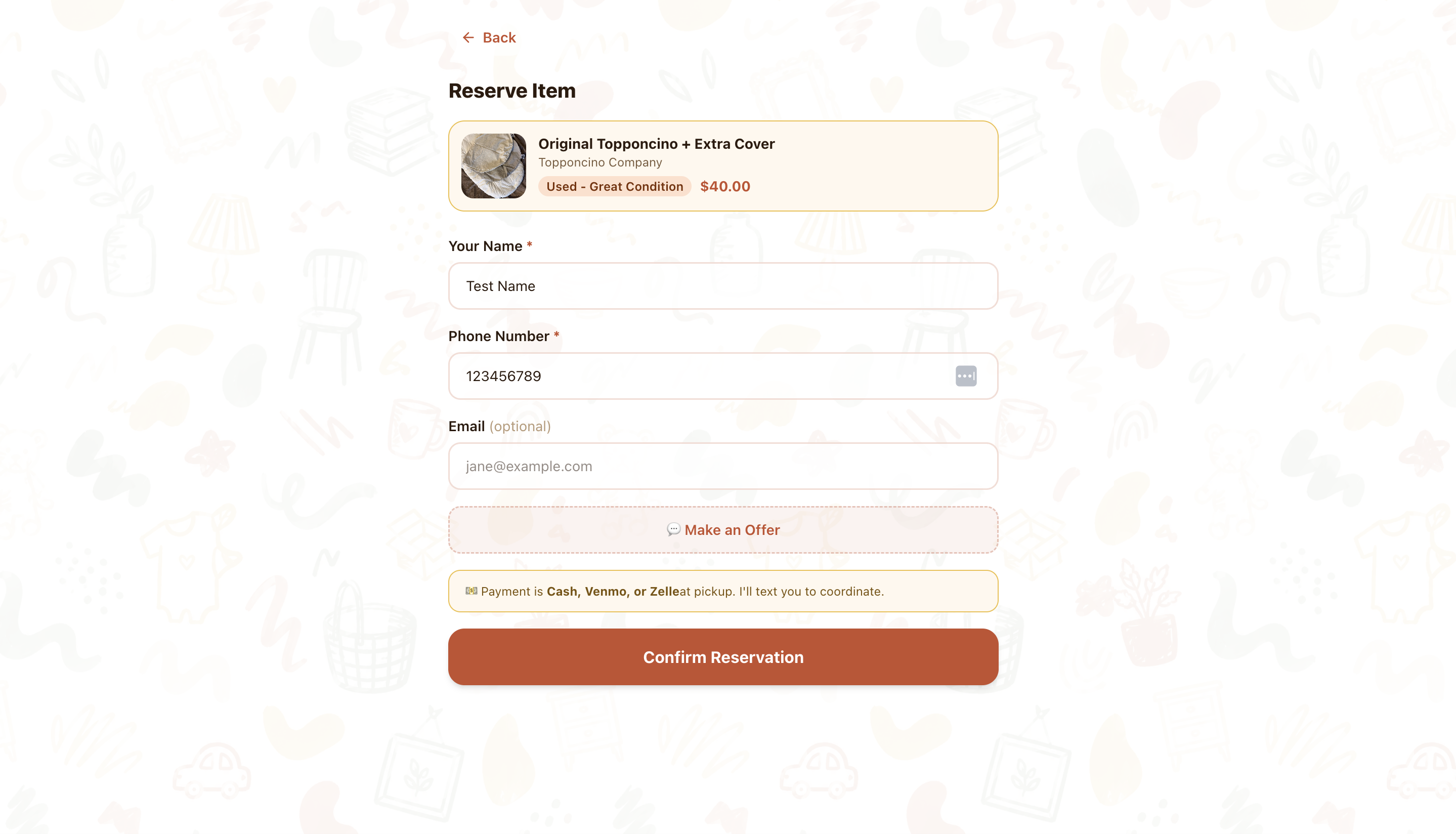
Reserve an item with just a name and phone number
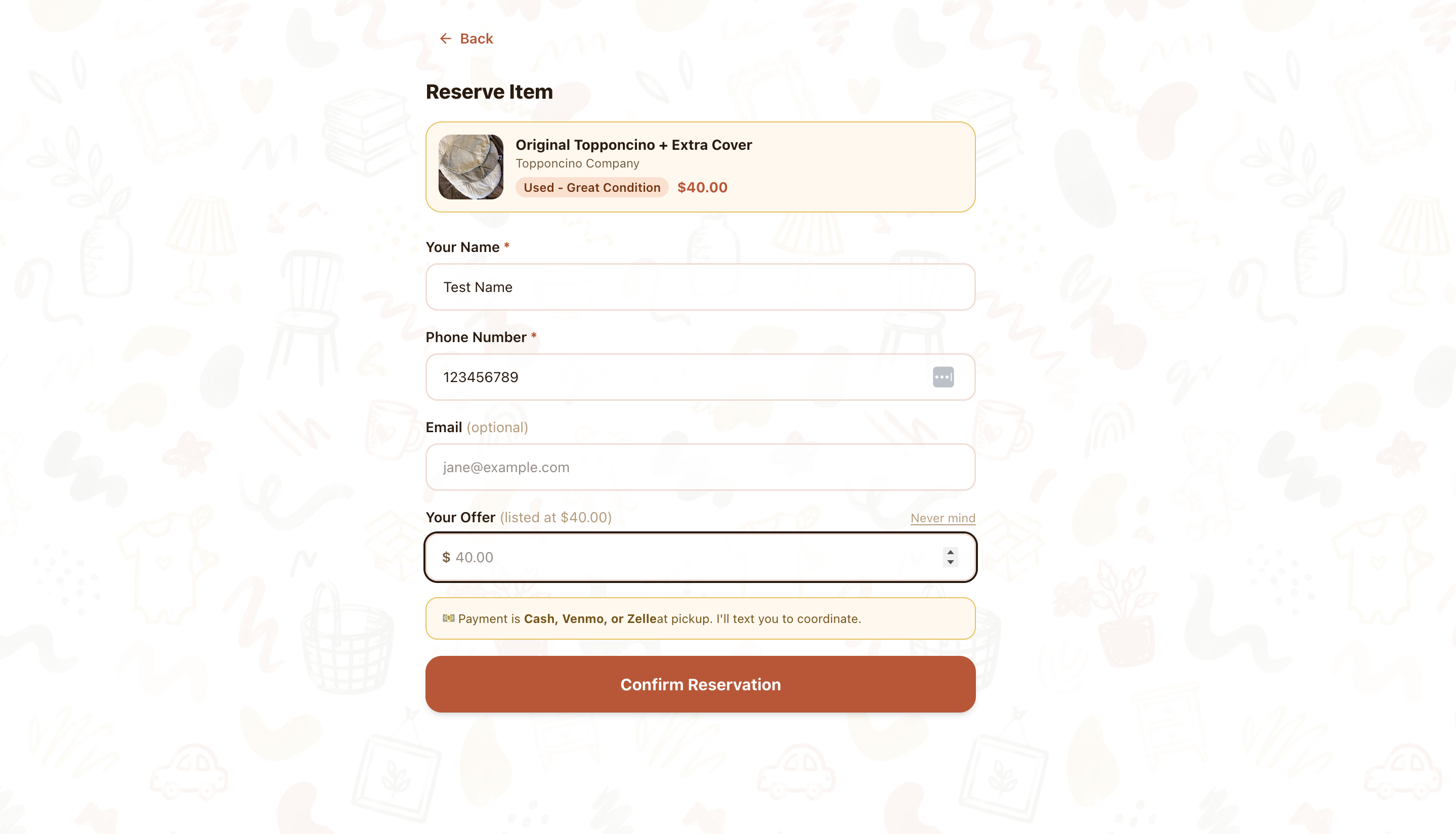
Buyers can make an offer if they want to negotiate
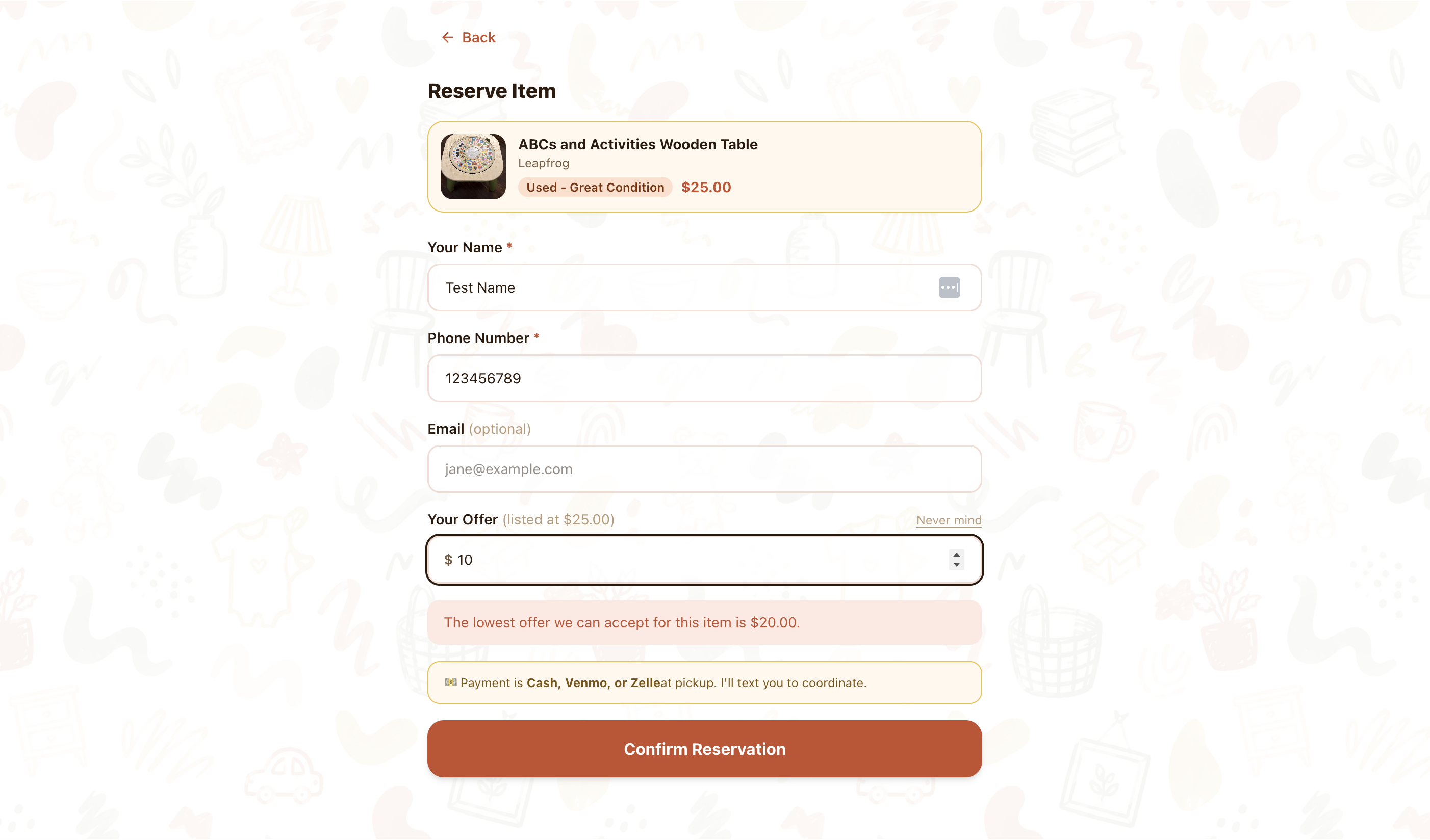
Offers more than 20% below the listing price aren't accepted
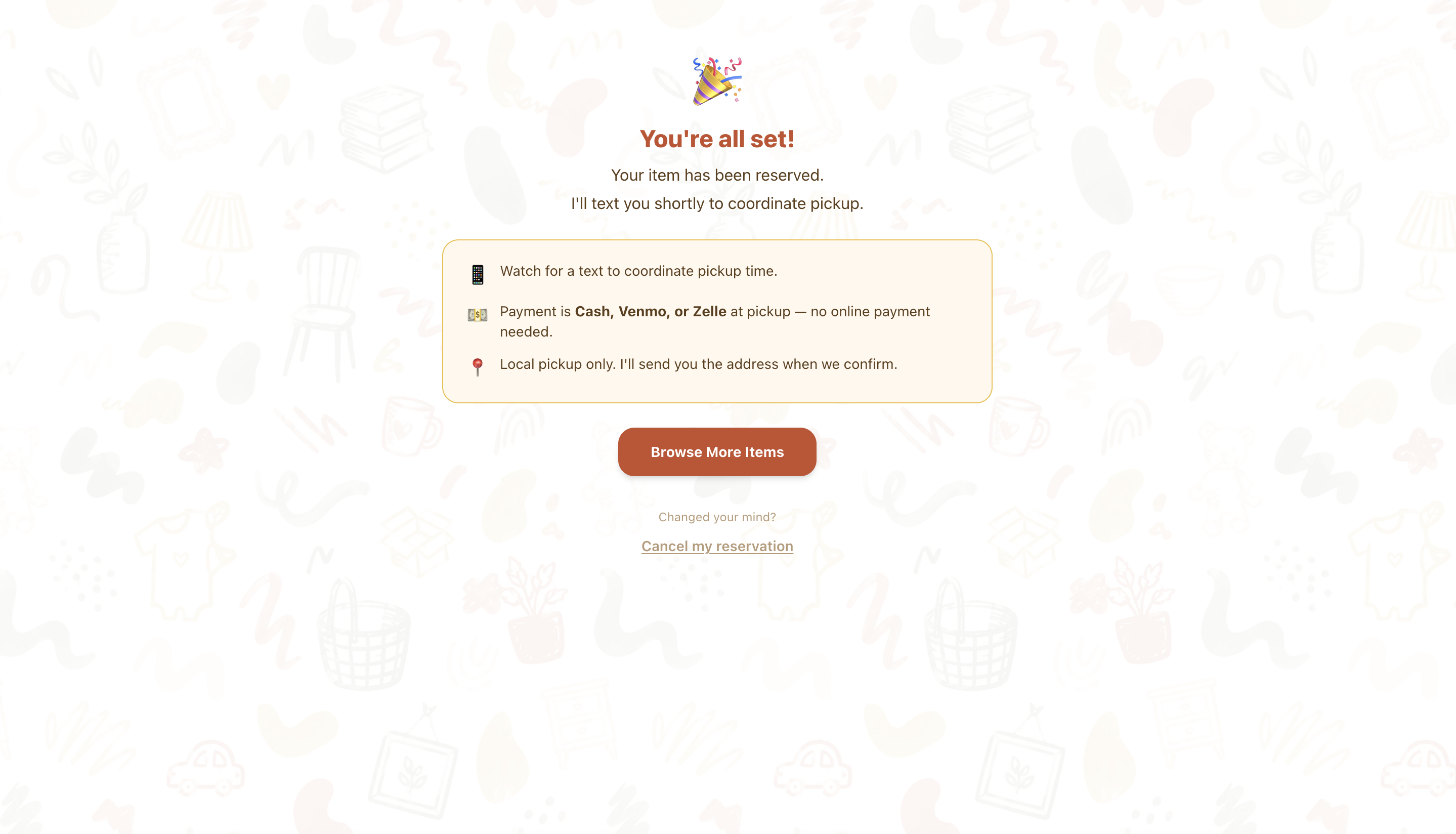
Confirmation with next steps — I follow up by text to coordinate pickup
What happened next
It started as a personal tool and quietly became a community one. Friends started asking if they could post their own items too, which is honestly the best possible outcome for something I built in a weekend. That is the next thing I am working on: account management so multiple people can list, each with their own inventory, all under the same roof.
Admin side
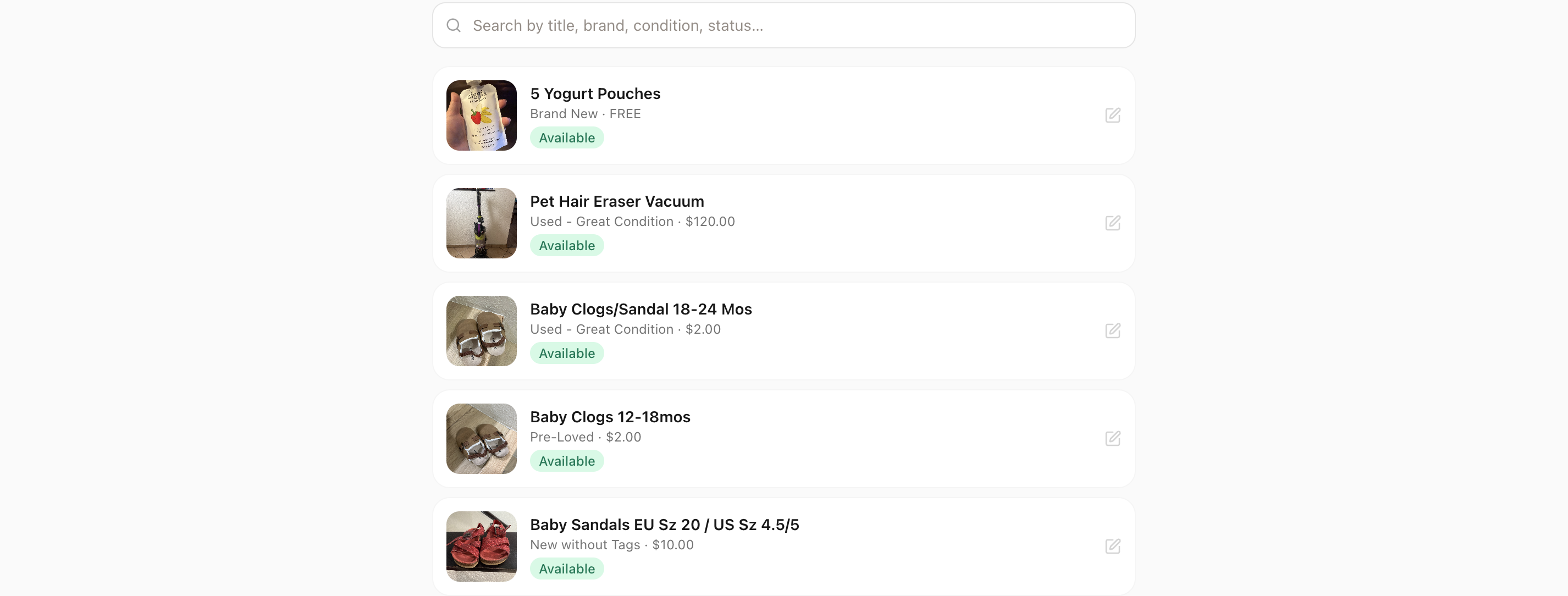
Listings at a glance — availability status, price, and condition in one view
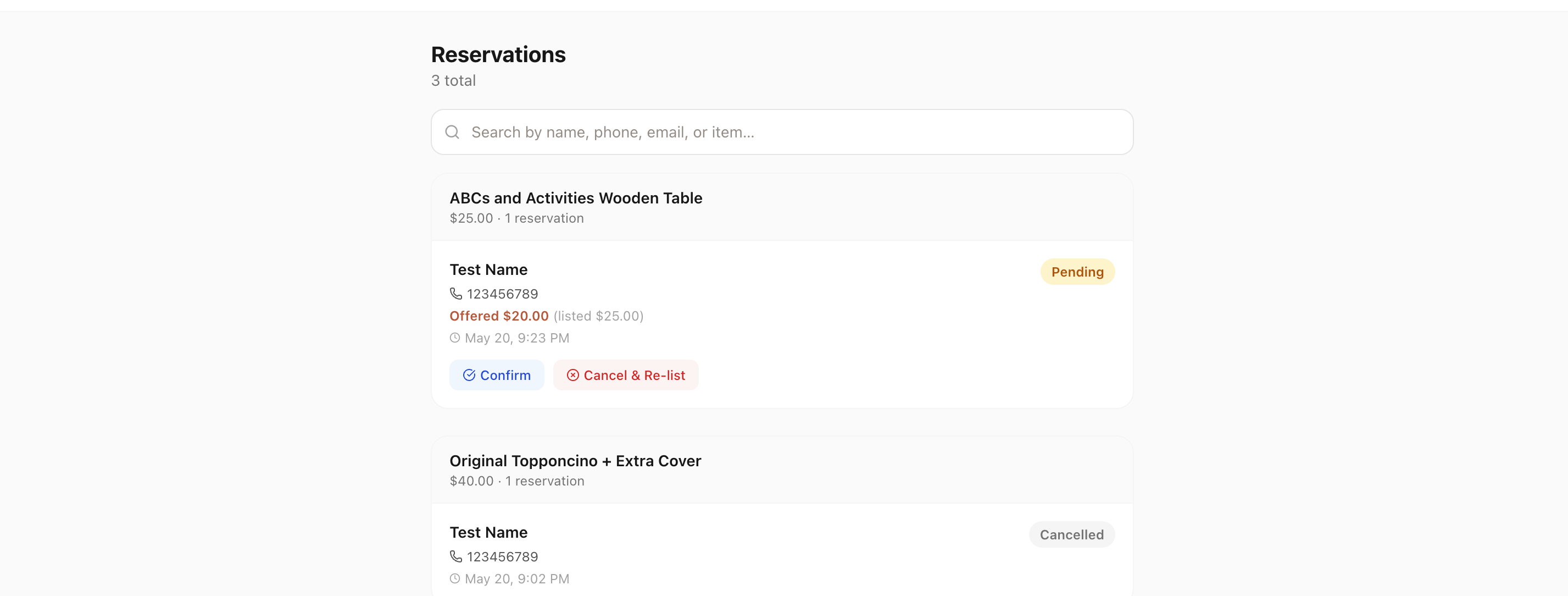
Reservations surface offer prices, timestamps, and one-tap confirm or re-list
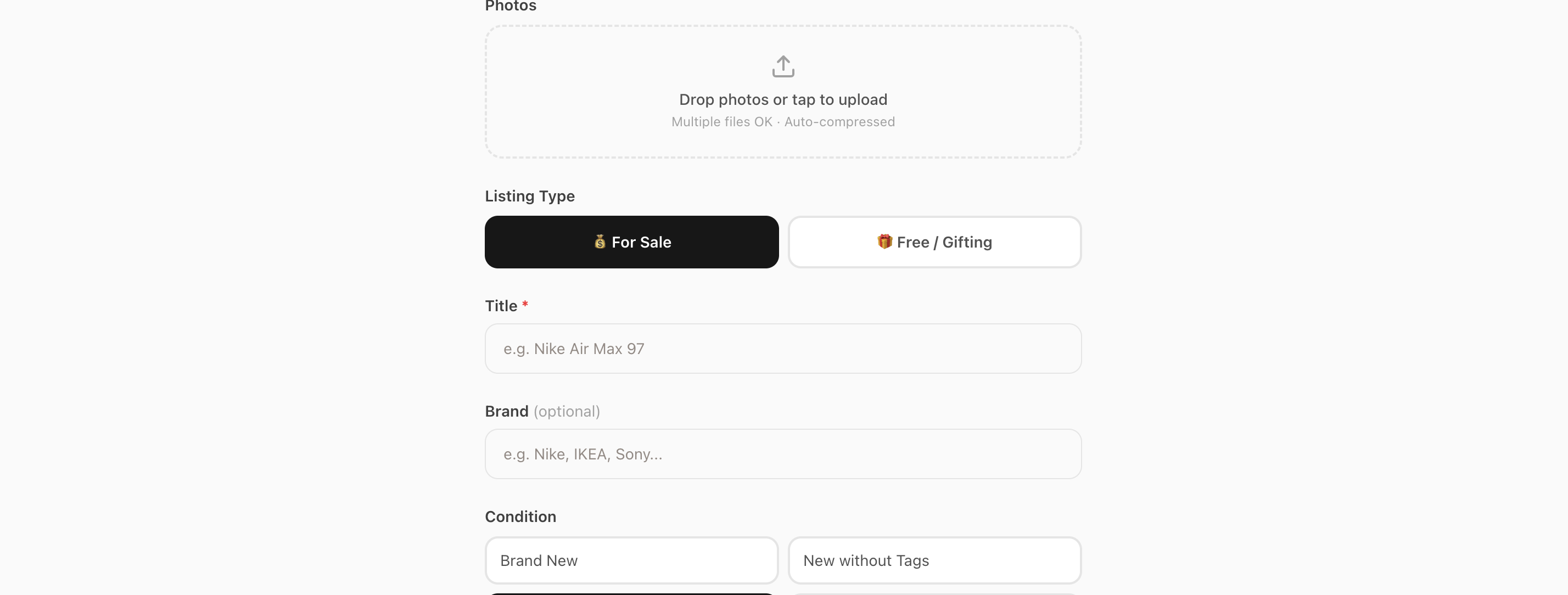
New listing: drop a photo, pick a condition, set a price — done in under a minute